
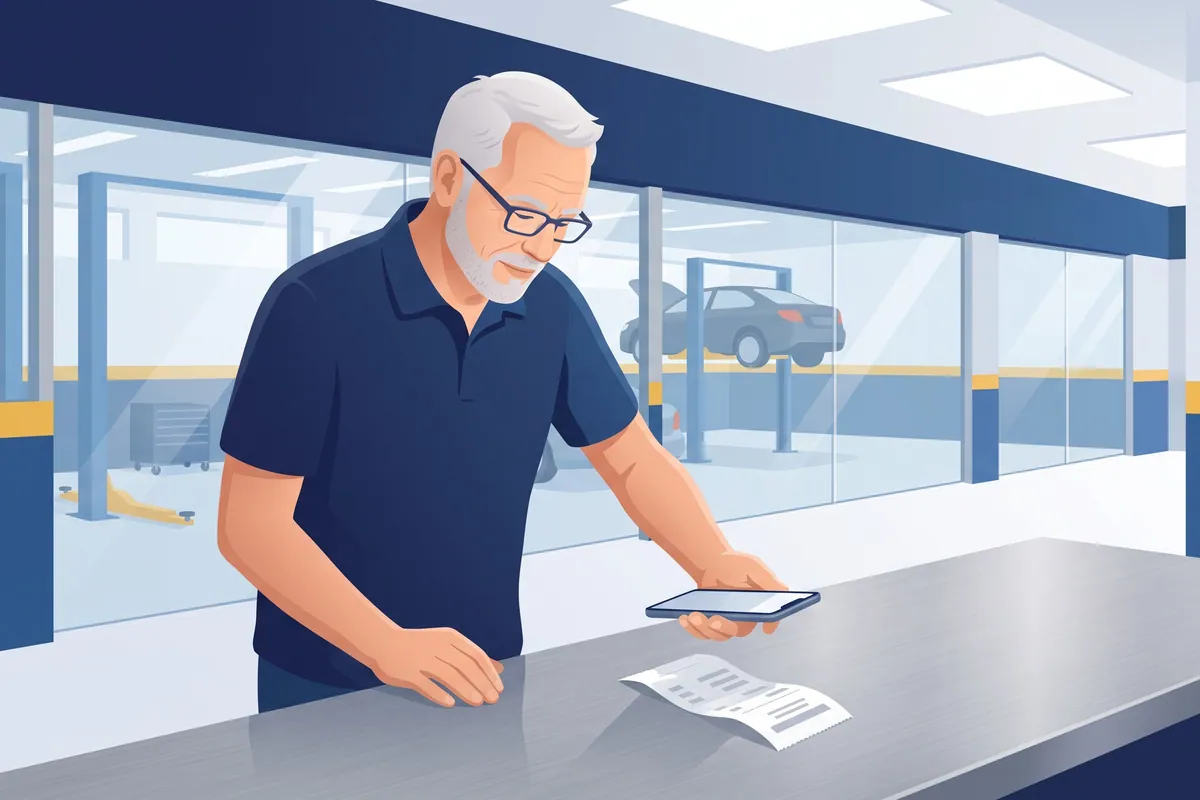

A receipt scanning app turns a paper receipt into a digital record: you snap a photo, and the app reads the vendor, date and total and files it with your books. In a repair shop, the hard part is not the scanning. It is getting the receipt out of the tech’s back pocket, folded into sixteenths, three days after the parts run.
(I once pulled a parts receipt out of a work shirt that had already been through the wash. It was readable. It was also roughly the texture of a saltine.)
Full disclosure: I run WickedFile, and one of the apps on this list is ours: the free WickedFile Scan app. I’ve put it first, and I’ll be straight about what it’s for. It’s built for parts invoices, credit memos and statements that need checking against your repair orders, not for lunch receipts. The other seven are good apps for everything else.
What a receipt scanning app actually does
Every receipt scanning app does three things. It captures the paper (photo, email forward, upload). It reads a few fields, usually vendor, date, total and tax. It files the image where your bookkeeper can find it, often attached to the matching transaction in QuickBooks Online or Xero.
The IRS lists invoices, card receipts and statements as supporting documents, and states that “all requirements that apply to hard copy books and records also apply to electronic records.” A good scan is a real record. A receipt in the washing machine is not.
How the reading works, and how often it gets fields wrong, is its own topic. I covered it in what OCR accounts payable software reads and misses, so I won’t repeat it here.
What a repair shop needs from a receipt scanning app
Most receipt scanning apps are built for a salesperson with a lunch receipt. A shop has COD counter receipts, driver-delivered invoices, emailed PDFs, credit memos, and a stack of month-end statements.
So judge any receipt scanner app on five things:
- Monthly volume. Shops buy parts all day. Check the scan limit against a real month, not a quiet week.
- Multi-page documents. A parts invoice with ten lines and a core charge is not a gas receipt.
- Line items. Most apps read the total. Few read every part number unless you pay extra.
- Email forwarding. Half your invoices already arrive as PDFs. Forwarding beats printing and re-scanning.
- Bank and card matching. The useful apps match the receipt to the card charge, so the bookkeeper isn’t hunting.
Quick comparison: 8 receipt scanning apps
| App | Best for | What stands out | Price (verified on vendor page) |
|---|---|---|---|
| WickedFile Scan | Parts invoices, credit memos and statements | Scans to PDF and sends straight into WickedFile, which matches each part to its repair order | Free app; WickedFile trial is 500 pages, then $299/mo |
| QuickBooks Online receipt capture | Shops already on QBO | Matches receipts to bank and card charges | Included in QBO |
| Hubdoc | Shops on Xero | Included in Xero’s US plans | Included with Xero |
| Dext | Bookkeeper-led shops | Sells line-item and supplier statement extraction | $302.50/yr, Standard |
| Expensify | Techs and managers on reimbursement | Text a photo to 47777 | Check current plans |
| Zoho Expense | Very small shops | Real free plan | Free (3 users), from $3/user/mo |
| Shoeboxed | Paper-heavy shops | Mail receipts in a prepaid envelope | From $9/mo |
| Ramp | Shops moving cards to Ramp | Receipt collection tied to its own cards | Free plan; Plus $15/user/mo + platform fee |
8 receipt scanning apps worth a look
1. WickedFile Scan: for parts paperwork that needs checking, not just filing
Best for: shops whose most important “receipts” are parts invoices, credit memos and vendor statements.
The WickedFile Scan app is free on the App Store for iPhone and iPad. In the listing’s words, it is “a portable way to scan documents on the go to send to WickedFile.” The parts driver drops an invoice at the counter, the advisor scans it on a phone, and the PDF goes straight into WickedFile instead of into a pocket.
What sets it apart: the scan is the start, not the finish. Once the document is in WickedFile, each part is matched to the repair order it was bought for, and returns with no credit, uncredited cores and charges with no invoice get flagged. None of the other apps on this list know what a repair order is.
The catch: it’s a capture tool for WickedFile, so it needs a WickedFile account, and it’s iPhone and iPad only. It isn’t an expense app for fuel, lunch or travel. Keep one of the apps below for that.
2. QuickBooks Online receipt capture: start here if you’re on QBO
Best for: any shop whose books already live in QuickBooks Online.
Intuit describes it as a built-in receipt capture feature. You snap a photo in the QuickBooks mobile app, forward email receipts, or upload files. It reads the date, vendor and total, then connects receipts “to bank/credit card charges to avoid duplicates and guesswork.”
What sets it apart: there is no second system and no second bill. The receipt lands next to the transaction it supports.
The catch: it reads the header of the document, not the parts on it.
3. Hubdoc: the Xero answer
Best for: shops whose bookkeeper runs Xero.
Hubdoc is Xero’s capture tool, and the Xero App Store listing says it “is included in Xero Starter, Standard and Premium plans (Xero Early, Growing and Established in the US).” You capture bills and receipts by phone, email or scanner, and the key fields are extracted and published to Xero with the original attached.
What sets it apart: if you pay for Xero, you already own it.
The catch: same as QBO. It captures and files. It doesn’t compare.
4. Dext: the one that will read line items, for a price
Best for: shops with an outside bookkeeper who wants more than totals.
Dext’s business pricing page lists a Standard plan at $302.50 billed yearly, for 5 users and 250 documents a month. It includes 5 documents with line-item extraction and 5 supplier statement extractions per month. Line Item Extraction and Supplier Statement Extraction are add-ons from $20.50 a month each.
What sets it apart: it is the only app on this list that sells supplier statement extraction as a feature. For a parts-heavy shop, that is the interesting one.
The catch: 5 line-item documents a month is about one morning of parts invoices. Price the add-ons before you count on them.
5. Expensify: for the people buying things on the road
Best for: managers or techs who buy things and get reimbursed.
Expensify’s SmartScan “reads the merchant, date, total, and currency automatically,” per its receipt scanning page. You can photograph a receipt, forward it to receipts@expensify.com, or text a photo to 47777 (US numbers only).
What sets it apart: texting the photo. A tech who will not open an app will usually send a text.
The catch: it is built for expense reports, not vendor invoices on a statement. Its pricing page wouldn’t load for me, so check current plans yourself.
6. Zoho Expense: the most honest free plan
Best for: a small shop that wants to try receipt scanning without paying.
Zoho Expense’s pricing page lists a free plan for up to 3 users with 20 receipt scans per user per month. Standard is $3 per user per month billed annually ($4 monthly) with 200 scans per user. Premium is $5 annually ($6 monthly) with 1,000.
What sets it apart: a free plan with its limits printed right on the page.
The catch: 20 scans per person is gone by the second Tuesday in most shops.
7. Shoeboxed: for the shoebox, literally
Best for: an owner with a box of paper receipts and no plan to photograph them one by one.
Shoeboxed’s Magic Envelope lets you mail paper receipts “to our processing facility for free with a postage-paid envelope from us,” per its homepage. The pricing page lists Starter at $9 a month (50 digital scans, one Magic Envelope a year), Pro at $29 a month (250 digital scans a month, one envelope a quarter) and Plus at $79 a month. QuickBooks Online and Xero integration starts on Pro.
What sets it apart: nobody else on this list will take your paper by mail.
The catch: paper scans have their own, smaller limits than digital ones. Check both numbers.
8. Ramp: receipts as part of the card
Best for: a shop already moving its company cards to Ramp.
Ramp is a corporate card and spend platform. Its pricing page lists “Automatic receipt collection and matching” on every plan, and you can complete expenses by SMS or Slack. The Free plan is $0. Plus is $15 per user per month plus a platform fee.
What sets it apart: the receipt request starts the moment the card is swiped, so chasing is mostly automatic.
The catch: it is built for Ramp’s own cards. If your parts are bought on account and paid by statement, most of your spend never touches it.
A receipt scanning app captures the paper. It doesn’t check the parts.
Here is where shops get surprised. Every general receipt app above will file a parts invoice perfectly. None of them know what the part was for, whether it got installed, or whether it went back.
The 2026 Ratchet+Wrench Industry Survey found that 47% of shops use five or more regular parts vendors each month. That is a lot of paper, and receipt scanning only answers one question about it: do we have a copy?
Illustrative example. Take a shop that buys about 450 parts invoices and 60 credit memos a month. Ten times a month, a part is ordered for a job, the customer declines, and the part goes back. Say the average return is $150.
The receipt scanning app captures all ten original invoices. Beautifully. But if four of those returns never come back as credit memos, the app has nothing to flag, because it never knew a credit was owed. Four missing credits at $150 is $600 a month, or $7,200 a year, sitting in a well-organized folder.
Add two uncredited cores a month at $60 each and you’re past $8,600 a year, all invisible to a tool whose whole job is keeping copies.
The goal isn’t to reconcile paperwork. The goal is to reconcile reality. Paperwork is just the evidence, and a scanning app makes the evidence easier to find. Somebody still has to ask what it proves. (If that somebody is you, at 9 p.m., with a highlighter, I’ve been there. The highlighter always dies first.)
The manual version is simple. Each week, list every return slip and every core you sent back. Tick each one off against a credit memo. Anything left after 30 days gets a phone call. Our guides to the credit memo and to chasing core charges walk through it.
Which receipt scanning app fits your shop
- Parts invoices, credit memos and statements you want checked against repair orders: WickedFile Scan, feeding WickedFile.
- On QuickBooks Online: use its built-in receipt capture. Don’t pay twice for the same job.
- On Xero: use Hubdoc. You already own it.
- Outside bookkeeper who wants line items or statements read: price Dext with the add-ons included.
- Lots of employee reimbursements: Expensify, mostly for the text-a-photo habit.
- Tiny shop, testing the idea: Zoho Expense’s free plan.
- A literal box of paper: Shoeboxed.
- Switching company cards anyway: Ramp.
And keep cash purchases in their own lane. A parts run paid from the drawer needs a receipt and a log entry, which is what running a petty cash fund covers.
Capturing the invoice is step one. Matching it to the repair order is the job.
This is the part WickedFile does, and it starts where a receipt scanning app stops.
You snap vendor invoices, credit memos and statements with the free WickedFile Scan app, upload them, or forward them by email. WickedFile reads them, pulls the parts off each one, and matches them against your repair orders from your shop management system. It also connects to QuickBooks Online and to your bank and card feeds through Plaid. Then it flags what doesn’t line up:
- Parts bought for a repair order that never showed up sold on it.
- Returns with no credit memo behind them.
- Uncredited cores.
- Credits the vendor issued but didn’t apply on the statement.
- Card or bank charges with no invoice.
How to spend the free trial on this exact problem. The trial is 500 scanned pages, no credit card. Take last month’s invoices, credit memos and statement from your two biggest parts vendors. For most shops that fits inside 500 pages. Then look at one list: returns with no credit. That list is the number your receipt app can’t give you.
The honest limits. WickedFile is not a receipt app for fuel, lunch or office supplies. Keep QBO capture or Hubdoc for that. It is not a shop management system, not a payment processor, and it doesn’t replace QuickBooks or your bookkeeper. After the trial, the Grow plan is $299 a month, flat. And if you buy from two vendors and check every return by hand every week, keep doing that. It works.
Run your two biggest vendors through the free trial →
For the month-end side of the same problem, see vendor statement reconciliation for auto repair.
Pick the app that matches your books, get the receipts out of the back pockets, and check the washing machine before you start. Some of my best records have come out of the rinse cycle.
Sources: IRS: what kind of records should I keep · Intuit receipt capture · Hubdoc on the Xero App Store · Dext business pricing · Expensify receipt scanning · Zoho Expense pricing · Shoeboxed · Shoeboxed pricing · Ramp pricing